WhatsApp. Casual. Perfect, tomorrow at ten then! I’ll grab us a table. Coffee’s on me.
Your saved style · WhatsAppCasual
01 / 06
Say it rough Send it ready
Choose a finish and watch the same thought change — softer, cleaner, more formal, or shorter. In Clavio, it happens where your cursor already is.
mail.google.com
Gmail
Search mail
A
New message
ToMaria
Invoice for this month
so about the invoice yeah we need it before month end or accounting cant process it
Hi Maria,
Quick note on the invoice — we need it before month-end, or accounting can’t process it.
Thanks,
Alex
Hi Maria,
Following up on the invoice — could you send it across before month-end? Accounting can’t process the payment without it.
Thanks,
Alex
Hi Maria,
Quick note on the invoice: we’ll need it before month-end so accounting can process it on time.
Thanks,
Alex
About the invoice — we need it before month-end or accounting can’t process it.
Send
Clavio / Dynamic Island
Hi Maria,
Quick note on the invoice — we need it before month-end, or accounting can’t process it.
Thanks,
Alex
Apps
Per-app writing style, translate target, and post-paste action. Defaults are sensible: touch only what you want different in a specific app.
Claude
com.anthropic.claudefordesktop
Listen mode in this app
Wake phrase “Hey Claude”
Translate
Pause inside a sentence
Pause between sentences
After paste
Interactive app preview. Changes stay in this page.
Talk however you reach for it
Most voice apps make you hold a key. Clavio meets your hands where they already are — or skips the keyboard entirely.
Push-to-talk. Double-press-hold on the trackpad or hold Globe (Fn), speak, release.
Say a trigger phrase first, then dictate. The mic is hot, but the capture waits for intent.
Hands-free. Clavio listens for your enrolled voice and captures full utterances automatically.
0:03
Clavio
Done
Norush.Tomorrowworksforme.
You stop talking — the message sends itself
Set what happens after Clavio pastes — make it “send,” and the message is gone before your hands move. A post-action per app, fully hands-free.
Clavio
# launchSlack
M
Maya 10:41
Everything’s ready on my side.
S
Stas 10:42
Shippingtonight—canyoudraftthereleasenotesbyten?
# launch
Sent · 0 clicks
YOU STOPPED TALKING · 0 CLICKS · SENT. Shipping tonight — can you draft the release notes by ten?
Your words, your commands
Commands
What no keyboard can do — open apps, search the web, run Shortcuts, switch chats, all by voice.
Clavio, open Telegram
Clavio, open Telegram
Telegram
Clavio
Everything’s ready on my side.10:41
Shipping tonight — can you draft the release notes by ten?10:42
Clavio
Dictionary
Names, brands and jargon get spelled right every time — Clavio learns them on its own, from your text.
“kareem” → Kareem
Notes
10:42
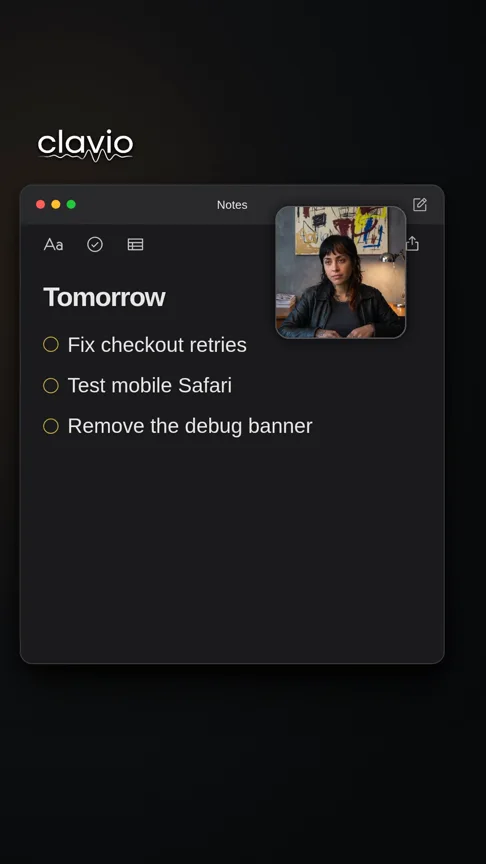
Monday, a little more organised
Go through the launch plan with kareemKareem.
Collect feedback from the first customers.
Turn the best ideas into next week’s priorities.
DictionarykareemKareem
Clavio
Snippets
Say a trigger and it expands into a template: a whole email, a sign-off, or “summarise” → a clean 1-2-3 list.
“sig” → your signature
Gmail
New message
ToMaria
Invoice for this month
Hi Maria,
Quick note on the invoice: we’ll need it before month-end so accounting can process it on time.
sig
Stas · founderClavioclavioapp.com
Send
sigyour signature
Clavio
Clavio for iPhone
Your voice. In your pocket.
Messages, mail and notes. Speak naturally, pick a tone and get text that’s ready to send. Refine it, or bring back your last dictation.
Dictate in English, Russian, Spanish and more. Choose the languages you use, and let your words flow.
Add the Clavio keyboard and allow Full Access. Recording stays visible in a Live Activity. Save useful replies as snippets and revisit your writing in History.
Yes. Clavio isn’t a plugin — it types wherever your cursor is. It listens, writes the finished text, and pastes it into the focused field of whatever app is in front: Slack, Gmail, your IDE, a terminal, a browser form.
Does it need the internet?
Partly. The wake word and your voiceprint run entirely on your Mac — no audio leaves the device until you actually dictate. Transcription and polishing run online, so you need a connection while dictating. Dictation audio is processed transiently to produce your text; Clavio does not retain it as a persistent voice store.
Which languages does it support?
All 28 languages are included on every plan, Free included. Translation is a per-app setting — think in one language, send in another.
What exactly is free?
3,000 words a month, every month — no card, no time limit. Pro removes the word cap.
What does it need to run?
An Apple Silicon Mac (M1 or newer) on macOS 14.2 Sonoma or later. The app is signed and notarized by Apple.
How do I cancel Pro?
Self-serve, any time, from the billing portal of our payment provider, Lemon Squeezy. Pro stays active until the end of the period you’ve paid for, then the account simply moves to Free.
Start withone message.
That email you’ve been putting off? Say it in your own words. Clavio gets it ready to send.
Thanks for the feedback. I’ll send you the updated draft tomorrow.

















 Clavio for Mac





 Notes
Notes